ComputeOps offers a comprehensive list of all installed application services, along with their corresponding executions, logs, and triggers. The user experience is further enhanced through dedicated tabs, offering a streamlined and organized presentation for easy navigation and efficient management of application-related information.
Important References
To view all the application entities and installed packages, refer to the Marketplace > Actions > Manage Installations.
Create your application: DDOE allows you to create applications using codebase, GitHub repo, custom docker image, and via SDK.
Install Applications: DDOE allows the installations of applications by allowing them to be hosted and executed on:
DDOE Managed Compute (internal infrastructure)
External Compute Providers (requires secret credentials to complete the installation)
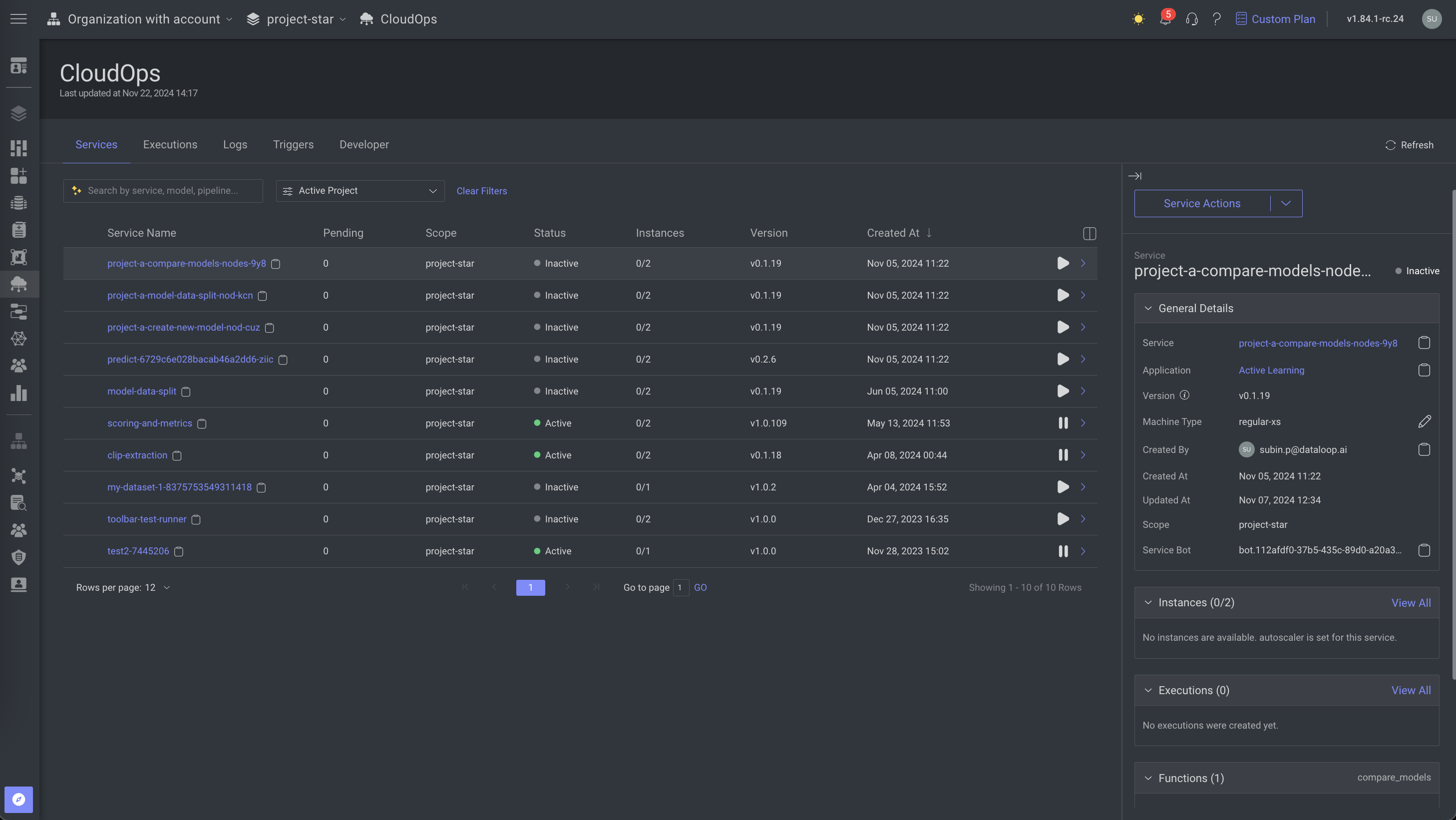
The ComputeOps' tabs' details are explained in the following sections:
Access ComputeOps
Roles to Access ComputeOps
Only Developer, Annotation Manager, or Owner roles can access the ComputeOps.
In the Dataloop left-side menu, select ComputeOps. The Classic Applications page is displayed by default.