In DDOE’s Annotation Platform, a Recipe is a comprehensive configuration that defines how data is annotated for a specific task, particularly for image data, including how images are displayed, what annotation tools are available, and how annotation outputs are structured.
You can create image recipes based on two types of annotation tasks:
Classic Image Tasks: Use Classic Image Tasks to perform image classification, tagging, and hierarchical annotations. These tasks support automation features that help accelerate and scale labeling workflows.
Instance Segmentation Tasks: Use Instance Segmentation Tasks to precisely delineate individual object instances within an image. These tasks map each pixel to a specific object instance, allowing you to distinguish between multiple objects of the same type within a single image.
This recipe supports both simple classification tasks and advanced pixel-level annotations, making it suitable for a wide range of vision-based AI applications.
Common tasks include:
Image classification and tagging
Object detection using bounding boxes or polygons
Semantic and instance segmentation
These annotations are commonly used to train and validate computer vision models in domains such as retail, healthcare, manufacturing, and security.
Start Creating Recipes for Classic Image Tasks
Open Recipes from the left-hand navigation panel.
Click Create Recipe to bring up the configuration dialog.
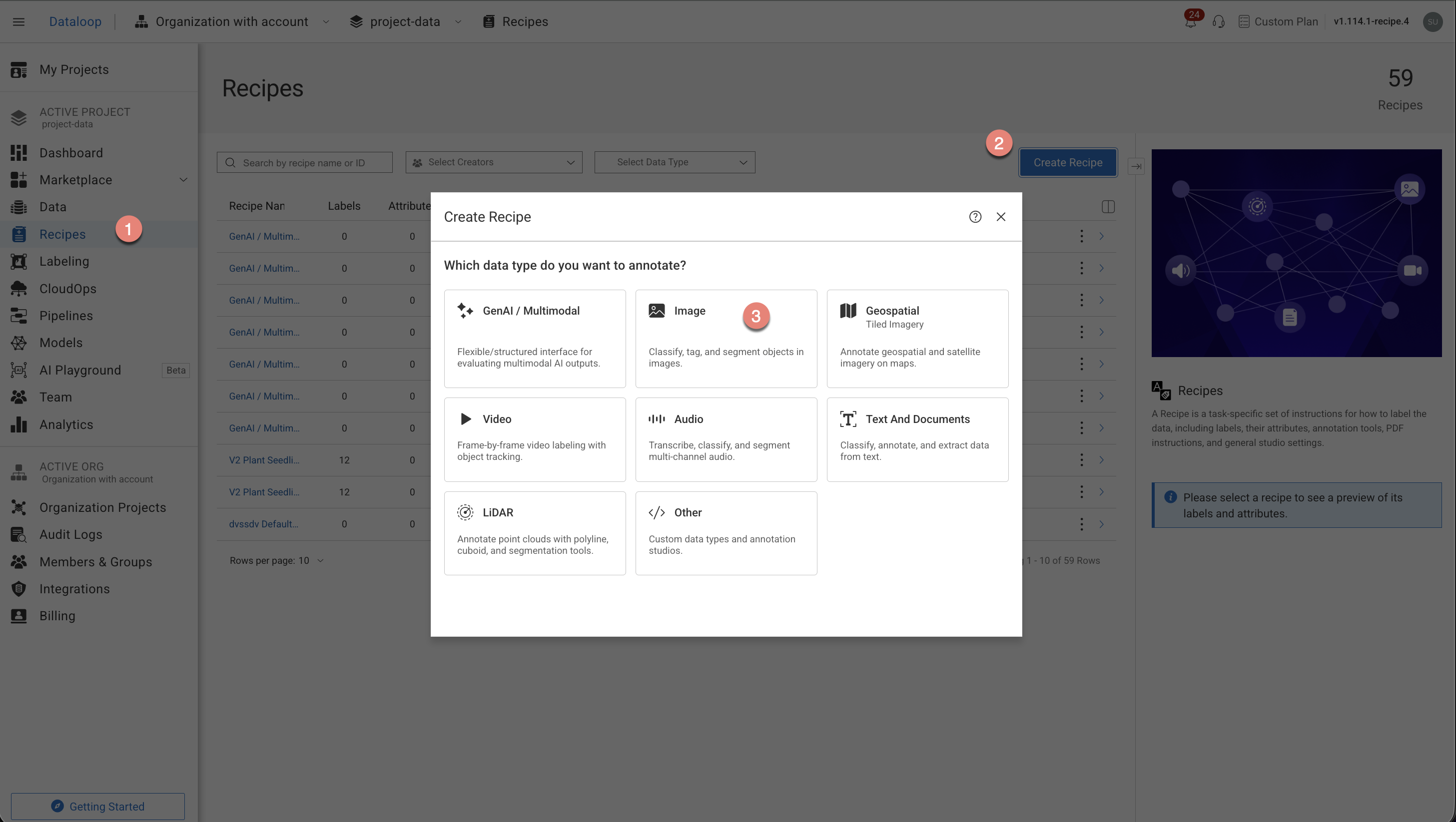
Choose the Image type from the list.
Choose the Classic Image Tasks option from the list.
Select the annotation types from the list. The annotation tools will be auto-configured according to your annotation type selection:
Classification
Bulk Classification
Object Detection
Optical Character Recognition (OCR)
Semantic Segmentation
Other
Click Create Recipe. The recipe page is displayed and start configuring the following:
Labels
Attributes
Annotation tools
Instructions
Advanced Settings.
Start Creating Recipes for Instance Segmentation Tasks
Open Recipes from the left-hand navigation panel.
Click Create Recipe to bring up the configuration dialog.
Choose the Image type from the list.
Choose the Instance Segmentation Task option from the list. The annotation tools will be auto-configured according to your annotation type selection
Click Create Recipe. The recipe page is displayed and start configuring the following:
Labels
Attributes
Annotation tools
Instructions
Advanced Settings.