In DDOE’s Annotation Platform, a Recipe is a comprehensive configuration that defines how data is annotated for a specific task, particularly for text and document data, specifying how labels, spans, and annotations are applied.
You can create text and document recipes using three types of annotation tasks:
Text NLP Tasks: Use Text NLP Tasks to perform text classification, named entity recognition (NER), and sentiment analysis across multiple languages.
PDF Tasks: Use PDF Tasks to create text- and sentence-level annotations within PDF documents, including text extraction capabilities.
PDF Data Extraction to Form: Use PDF Data Extraction to Form tasks to extract structured data from documents and forms, supporting document AI and information extraction workflows.
Start Creating Recipes for Text NLP Tasks
Open Recipes from the left-hand navigation panel.
Click Create Recipe to bring up the configuration dialog.
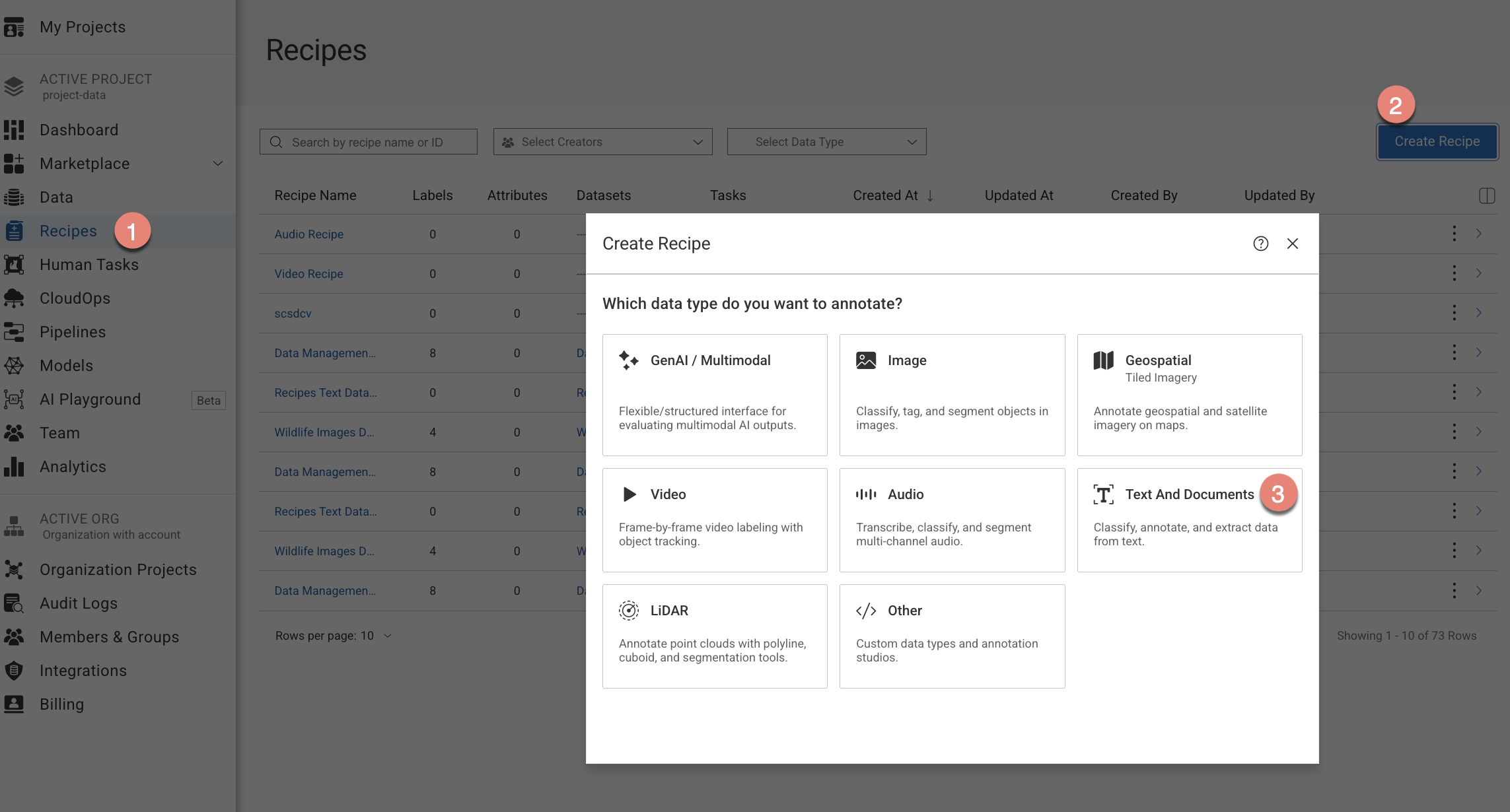
Choose the Text and Documents option from the list.
Choose the Text NLP Tasks option from the list.
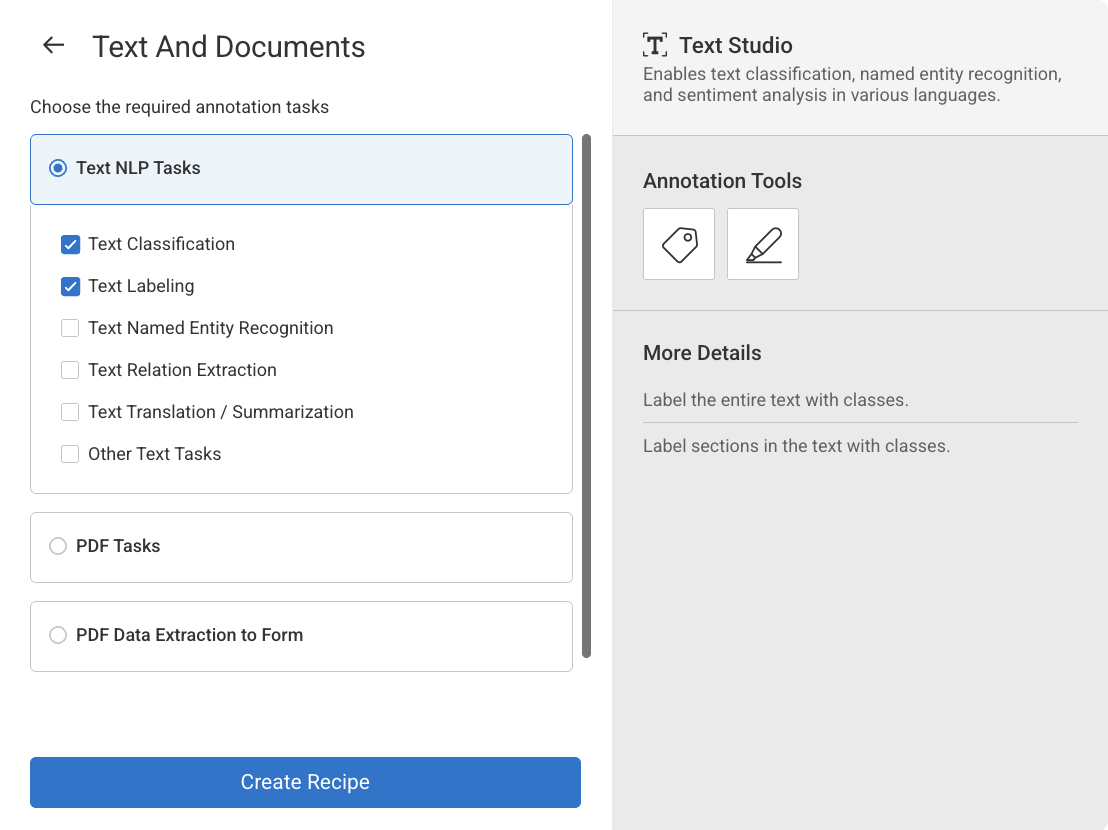
Select the annotation types from the list. The annotation tools will be auto-configured according to your annotation type selection:
Text Classification
Text Labeling
Text Named Entity Recognition
Text Relation Extraction
Text Translation / Summarization
Other Texts Tasks
Click Create Recipe. The recipe page is displayed and start configuring the following:
Labels
Attributes
Annotation tools
Instructions
Advanced Settings.
Start Creating Recipes for PDF Tasks
Open Recipes from the left-hand navigation panel.
Click Create Recipe to bring up the configuration dialog.
Choose the Text and Documents option from the list.
Choose the PDF Tasks option from the list.
Select the annotation types from the list. The annotation tools will be auto-configured according to your annotation type selection.
Documents Classification
Documents Labeling
Documents Named Entity Recognition
Documents Translation / Summarization
Other PDF Tasks
Click Create Recipe. The recipe page is displayed and start configuring the following:
Labels
Attributes
Annotation tools
Instructions
Advanced Settings.
Start Creating Recipes for PDF Data Extraction to Form Tasks
Open Recipes from the left-hand navigation panel.
Click Create Recipe to bring up the configuration dialog.
Choose the Text and Documents option from the list.
Choose the PDF Data Extraction to Form Task option from the list.
Click Create Recipe. The recipe page is displayed and start configuring the following:
Labels
Attributes
Annotation tools
Instructions
Advanced Settings.