When logged in with the Annotator role, you can access only the Tasks menu. Under this menu, two tabs are available: Assignments, where you view and work on your assigned tasks, and Issues, where you can track issues related to your assignments.
What You Can Do in My Issues
From this tab, you can:
Identify items that require corrections
Review feedback from QA or project managers
Access the item to fix the issue
Track how long issues have been open
Issue Details
The Issues tab displays all issues related to your assignments. It allows you to track, review, and respond to problems raised during annotation or QA review. The Issues tab presents a table listing items with annotation issues, and it provides details for each item in the respective columns.
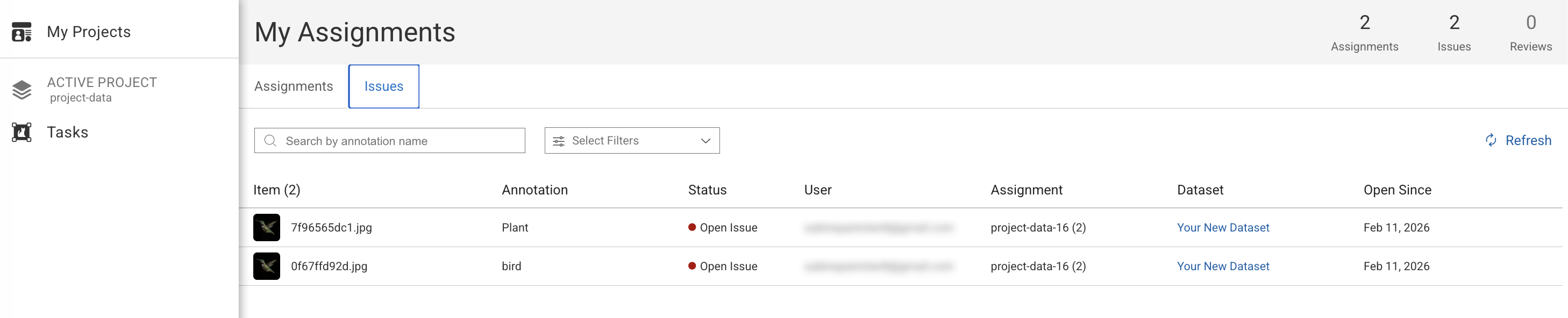
Item: This displays the thumbnail view of the item.
Annotation: This displays the label name used to annotate the item. Clicking on the issue takes you to the respective type of annotation studio of the item.
Assignment: This displays the name of the item's assignment.
Dataset: This displays the name of the dataset.
Status: This displays the current status of the issue.
Open Since: This displays the creation date of the issue.
User: The email id and avatar of the user.
Search & Filter
The Issue tab enables you to enter the following search criteria to search issues in the Search field:
Search by Annotation Name. This displays the issues based on the annotation name.
Filter by:
Open Issues: This displays the list of items with annotations that have open issues.
For Review: This displays the list of items with annotation that have issues corrected for review.
Approved: This displays the list of items with annotation issues that have been approved.
Open an Issue
Select the Issues tab.
Locate the issue in the list and hover over it.

Click Open to view the issue. The corresponding item will open in the Annotation Studio.
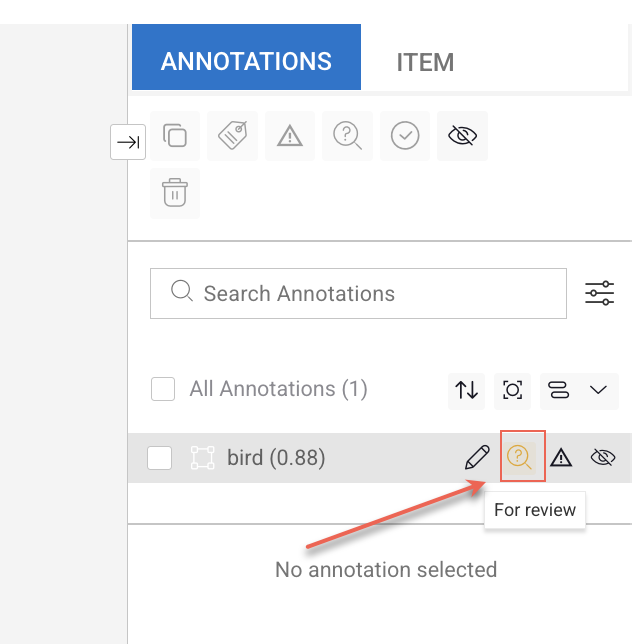
Start analyse the issue and make necessary changes and mark it For review from the right-side annotations panel.